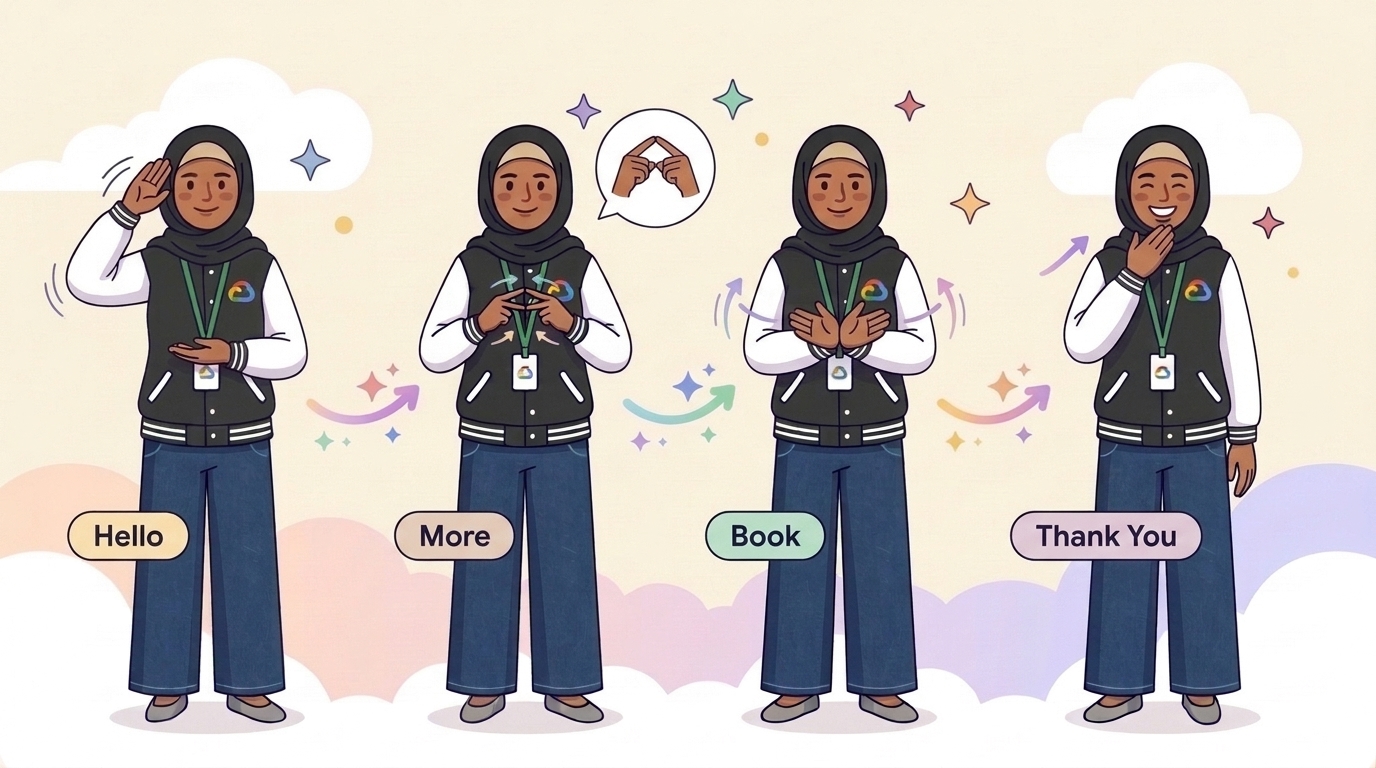
Why SignBridge Was Built (The 3 Critical Gaps in Media & Enterprise Accessibility)
SignBridge was built to solve an urgent gap faced by television news channels, digital media studios, and corporate enterprises trying to make live broadcasts and internal communications accessible to over 70 million Deaf Sign Language users worldwide:
- The Live-Air Time Crunch: In a breaking TV newsroom or live corporate Q&A, teleprompter scripts change seconds before broadcast. In-studio Deaf interpreters (CDIs) and accessibility producers have no safe way to instantly verify complex financial (
150 basis points), legal (NDA), emergency (flash flood), or medical terminology across regional sign languages (ASL, PSL — Pakistan Sign Language, BSL). - Why Generic AI Fails Sign Language: Sign languages are not English on the hands—they use spatial 3D Topic-Comment grammar, visual classifiers, and mandatory Non-Manual Facial Grammar (
[brow-raise],[brow-furrow],[head-shake]). Off-the-shelf ungrounded LLMs translate English idioms word-for-word ("off the record" becomes "music vinyl record off table"; "fast 8 hours" becomes "run quickly"), causing severe misinformation on live television. - Strict Newsroom Embargoes & Corporate Sovereignty: Pre-announcement quarterly earnings, M&A town halls, investigative journalism scripts, and HIPAA/ADA briefings contain Material Non-Public Information (MNPI). Media networks and corporations cannot legally send embargoed scripts to external public AI APIs. SignBridge solves this by keeping Gemma 4, EmbeddingGemma 2, and BigQuery Vector Search 100% inside your private Google Cloud project.
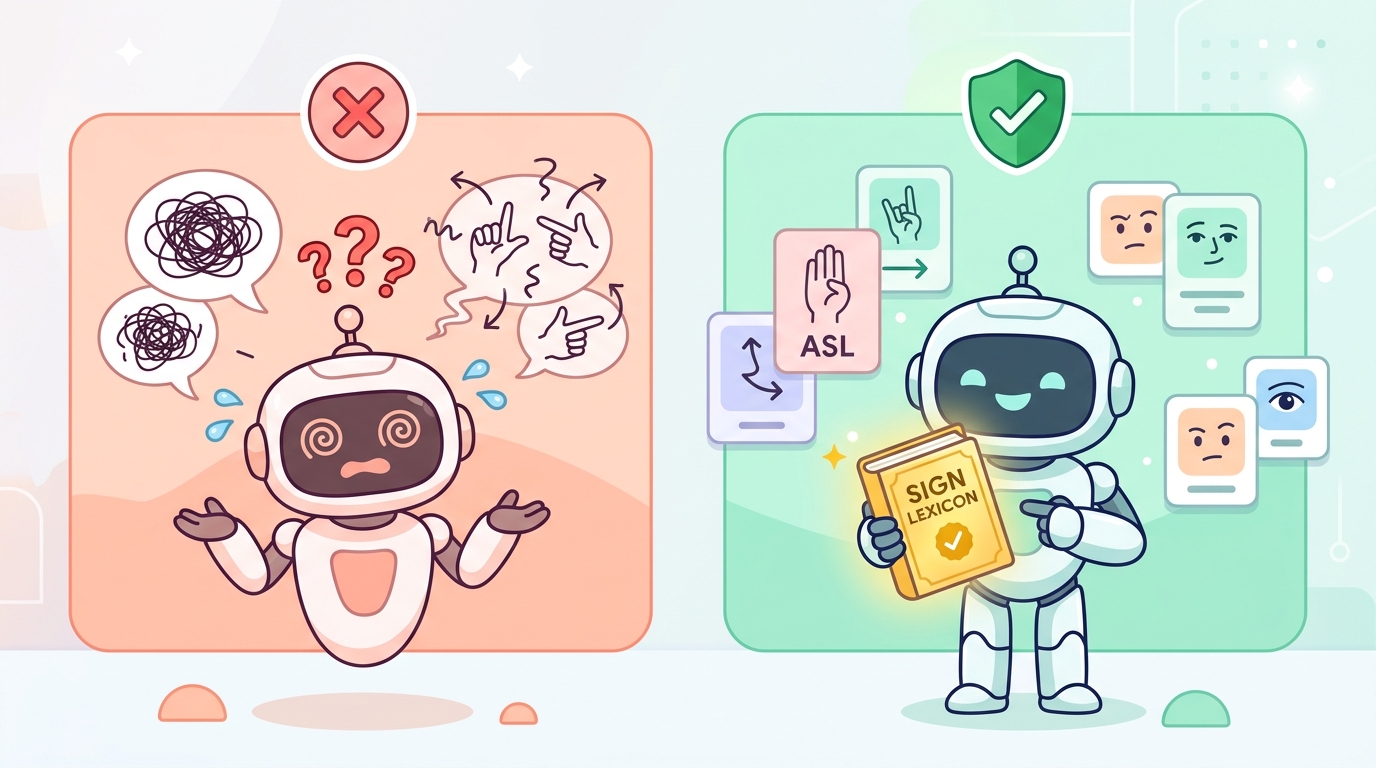
Why RAG vs. Non-RAG Matters on Live Air & Corporate Stages
Scenario | ❌ Non-RAG (Ungrounded LLM) | ✅ Sovereign RAG ( |
Breaking Flood Ticker: "Flash flood evacuation—move to high ground" | Signs literal English | Retrieves verified Broadcast Gloss |
Press Briefing: "This statement is off the record until 9 AM" | Translates idiom literally as | Retrieves journalistic lexicon |
Financial TV Desk (PSL): "Central Bank cut rates by 150 basis points" | Outputs unintelligible | Converts via broadcast style guide |
Corporate M&A Town Hall: "Zero layoffs during the merger" | Leaks confidential M&A script externally & drops negation timing | Runs 100% inside private GCP project; enforces emphatic |
Who Can Use SignBridge & How They Use It in Production
- 📺 TV News Channels & Live Broadcast Desks — How They Use It:
- News producers connect their newsroom teleprompter system (ENPS / iNEWS / webhook) to SignBridge's private
/api/compareCloud Run endpoint. As breaking tickers are typed, verified ASL/PSL Gloss Cards + Classifier cues + Facial Grammar tags appear directly on the studio interpreter's confidence monitor before the anchor speaks.
- News producers connect their newsroom teleprompter system (ENPS / iNEWS / webhook) to SignBridge's private
- 🏢 Corporate Enterprises, Investor Relations & HR — How They Use It:
- Executive Comms and IR teams paste pre-announcement CEO town hall speeches, quarterly earnings scripts, or HR/NDA policies into the sovereign SignBridge portal inside their corporate GCP boundary to generate audited Interpreter Prep Packets 24 hours before global livestreams—with zero external data leakage.
- 🎬 Digital Media Houses, OTT Platforms & Studios — How They Use It:
- Production teams upload their network's approved Regional Sign Style Guide (e.g., PSL financial/civic terms or ASL STEM terms) into BigQuery Vector Search via
vector_store/init_db.py, ensuring every episode, documentary, and social clip uses consistent, culturally accurate signs.
- Production teams upload their network's approved Regional Sign Style Guide (e.g., PSL financial/civic terms or ASL STEM terms) into BigQuery Vector Search via
- 🎓 Interpreter Training & Broadcast QA Teams — How They Use It:
- Accessibility leads use the Side-by-Side Web UI as an interactive training simulator to spot literal-English idiom traps and verify Non-Manual Facial Grammar before new interpreters go live on camera.
What You'll Do
- Set up Google Cloud Shell and launch the Google Antigravity CLI (
agy). - Use Antigravity's interactive
/grill-mecommand to inspect GPU quotas and refine your sovereign serverless architecture. - Deploy EmbeddingGemma 2 (
768-ddense embeddings) and BigQuery Vector Search (VECTOR_SEARCHwithCOSINEdistance). - Deploy open-weights Gemma 4 on Cloud Run (with automatic NVIDIA L4 GPU detection + CPU fallback).
- Test the Side-by-Side Broadcast & Corporate Comparison Web UI on Cloud Run.
What You'll Need
- A Google Cloud project with billing enabled.
- Access to Google Cloud Shell (or a local terminal with
gcloudandagyinstalled).
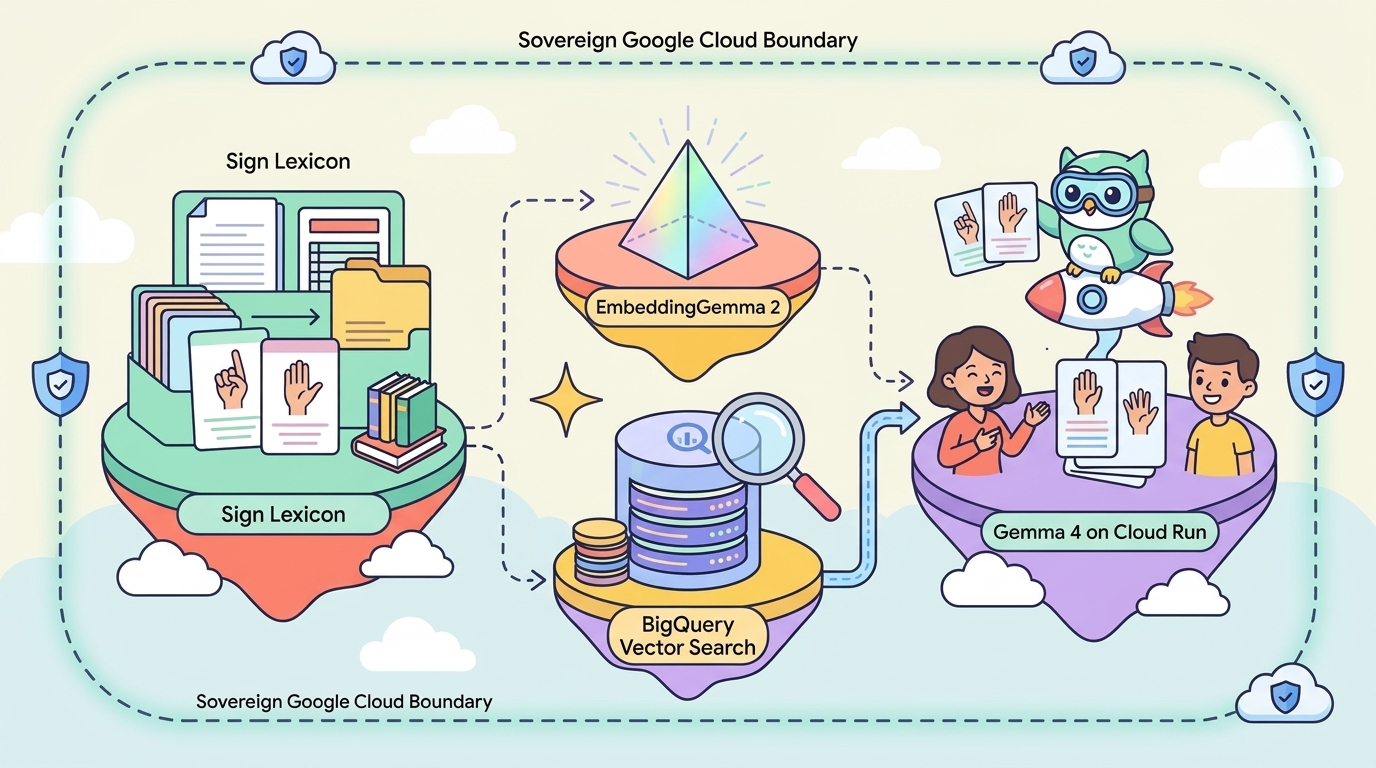
SignBridge is composed of four sovereign components running entirely inside your Google Cloud project boundary:
embedding_model/(EmbeddingGemma 2on Cloud Run): Converts broadcast style guides, corporate glossary rules, and live teleprompter prompts into 768-dimensional vectors usingembeddinggemma—with zero external API calls.vector_store/(BigQuery Vector Search): Stores your organization's verified ASL & PSL sign-language lexicon (sign_lexicon_embeddings) and executes low-latencyVECTOR_SEARCH(..., distance_type => 'COSINE')queries.llm/(Gemma 4Open-Weights on Cloud Run): Hosts open-weightsgemma4:e4bvia Ollama inside a private--no-allow-unauthenticatedCloud Run service (accelerating on an NVIDIA L4 GPU when quota is available, or seamlessly falling back to an 8-vCPU / 16 GiB CPU tier).orchestration/(FastAPI+ Side-by-Side Web UI on Cloud Run): Connects live user prompts to EmbeddingGemma 2, BigQuery Vector Search, and Gemma 4—rendering a side-by-side comparison between an Ungrounded Baseline LLM and SignBridge Sovereign RAG.
signbridge-sovereign-rag-agy/
├── assets/                # Custom Codelab & UI illustrations
├── embedding_model/       # EmbeddingGemma 2 Cloud Run service (Dockerfile, app.py, cloud_run.sh)
├── llm/                   # Sovereign Gemma 4 Cloud Run service (GPU + CPU fallback)
├── orchestration/         # FastAPI backend + Side-by-Side Broadcast/Corporate Web UI
├── vector_store/          # BigQuery Vector Search DDL, corpus JSON & init_db.py
├── tests/                 # Automated pytest verification suite
├── setup_env.sh           # Project & API initialization script
└── cleanup.sh             # One-command resource teardown
Open Cloud Shell
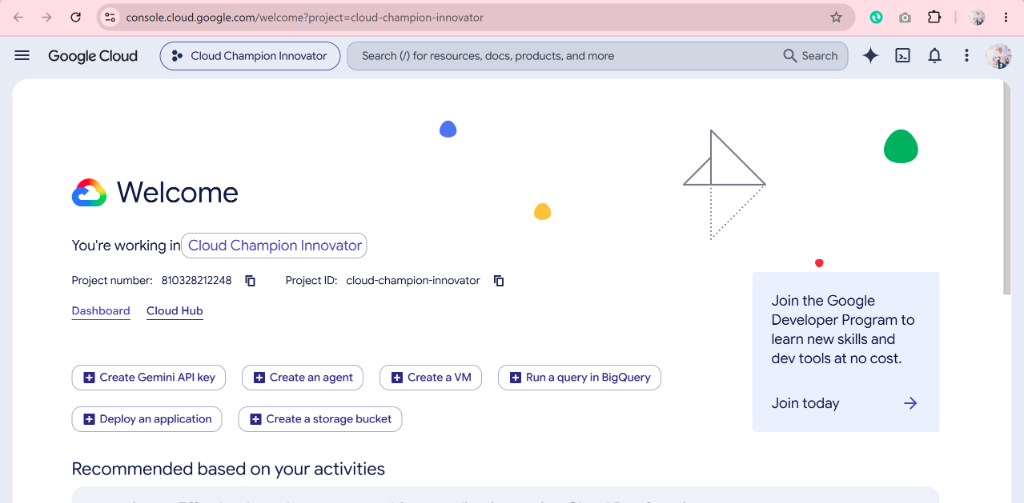
- Open the Google Cloud Console and confirm your active project ID is selected:
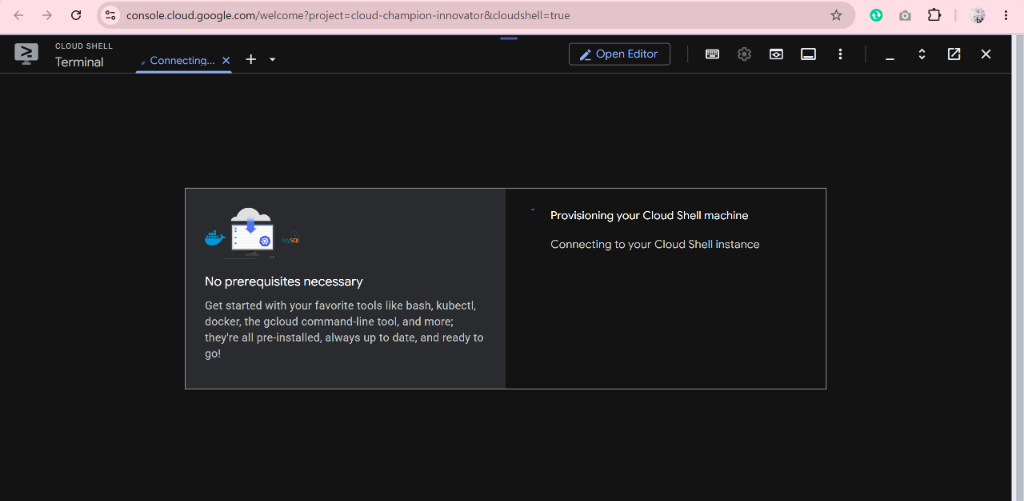
- Click Activate Cloud Shell in the top-right toolbar and wait a few seconds while Cloud Shell provisions your machine:
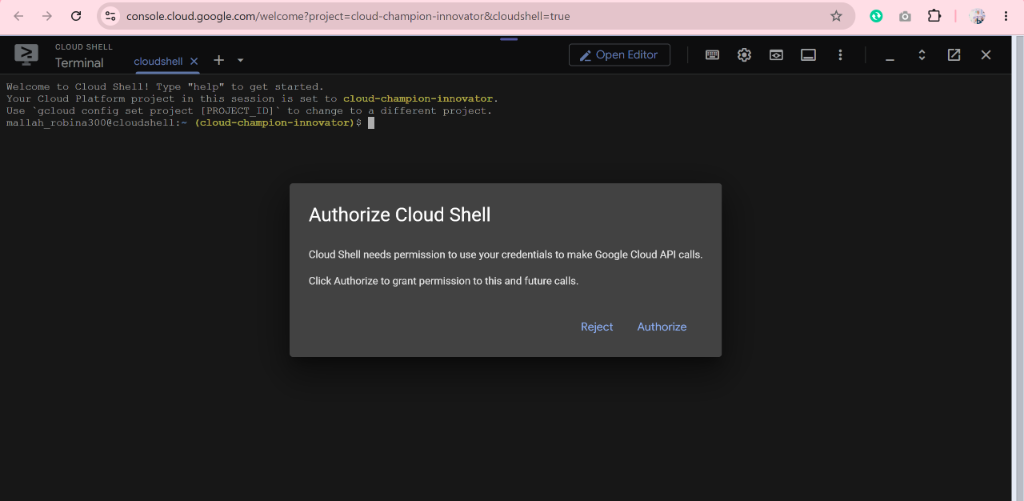
- When prompted, click Authorize to grant Cloud Shell permission to run
gcloudAPI calls:
Set Your Project and Enable Required APIs
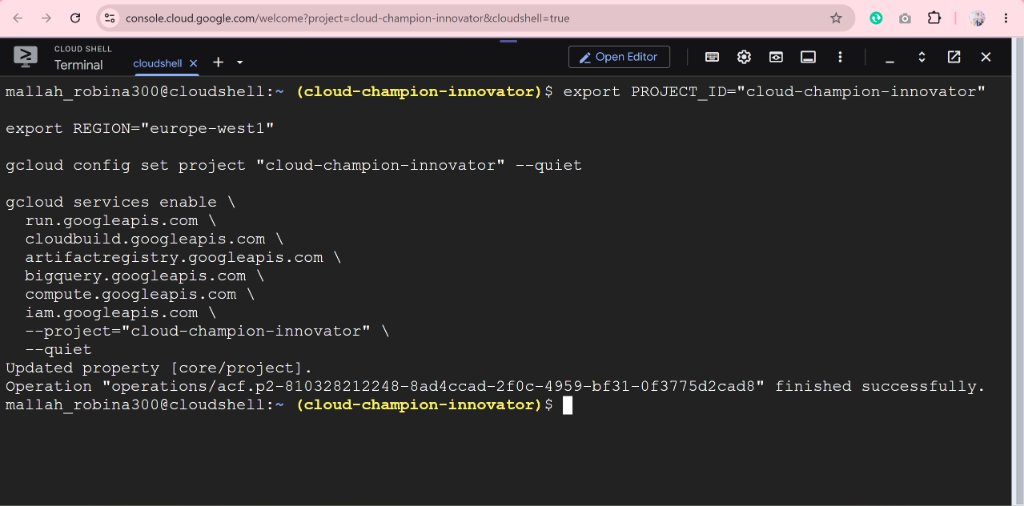
Run the following commands to configure your session and enable Cloud Run, Cloud Build, Artifact Registry, and BigQuery:
export PROJECT_ID="${GOOGLE_CLOUD_PROJECT}"
export REGION="europe-west1"

gcloud config set project "${PROJECT_ID}" --quiet

gcloud services enable \
  run.googleapis.com \
  cloudbuild.googleapis.com \
  artifactregistry.googleapis.com \
  bigquery.googleapis.com \
  compute.googleapis.com \
  iam.googleapis.com \
  --project="${PROJECT_ID}" \
  --quiet
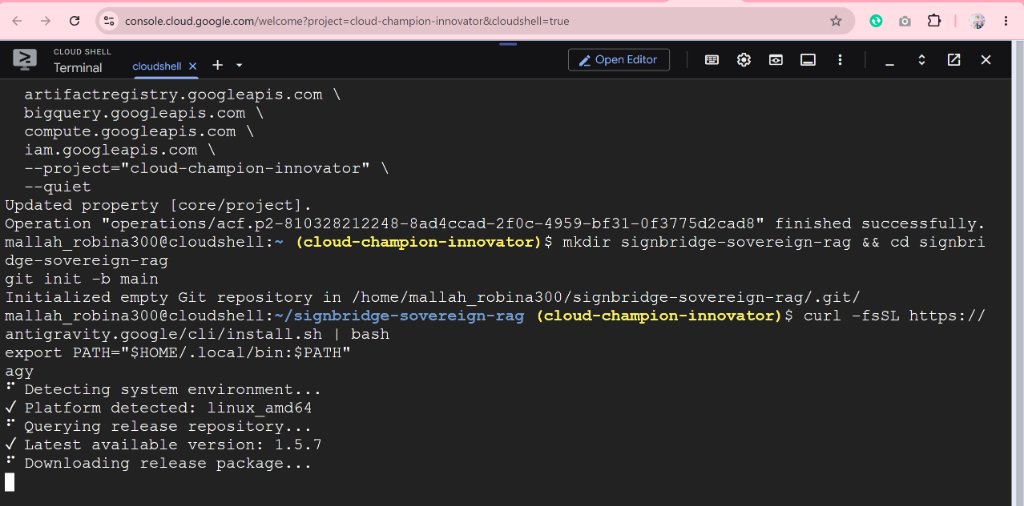
Create Your Own Fresh Project Repository & Launch Antigravity CLI
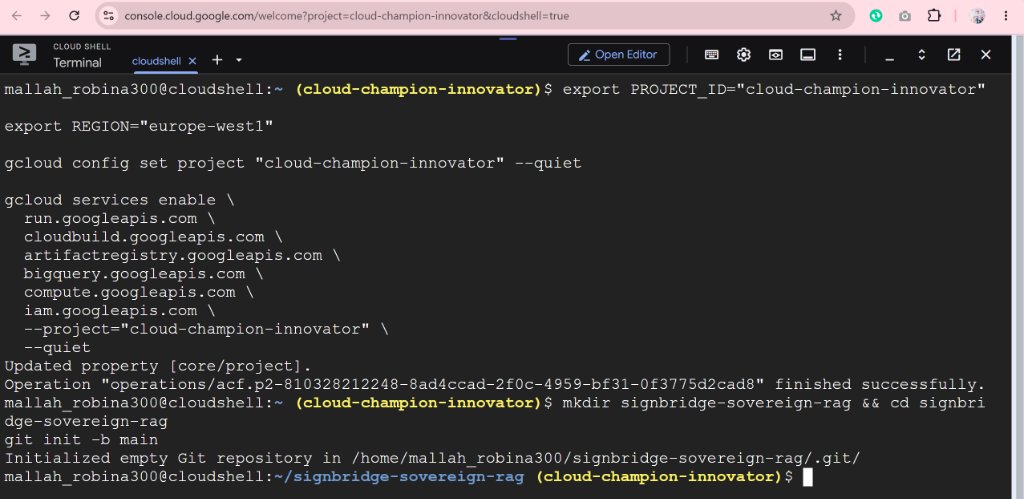
Instead of cloning pre-written code, you will build your own Sovereign RAG repository from scratch using the Google Antigravity CLI (
agy
)! Create a clean directory, initialize Git, install agy (if not already pre-installed in Cloud Shell), and launch the interactive agent:
mkdir signbridge-sovereign-rag
cd signbridge-sovereign-rag
git init -b main

# Install Google Antigravity CLI and ensure ~/.local/bin is on PATH
curl -fsSL https://antigravity.google/cli/install.sh | bash
export PATH="$HOME/.local/bin:$PATH"

# Launch Antigravity inside your empty workspace
agy
Antigravity CLI (agy) detects your Cloud Shell Linux environment (linux_amd64), downloads the latest release package, and launches the interactive colorful welcome screen:
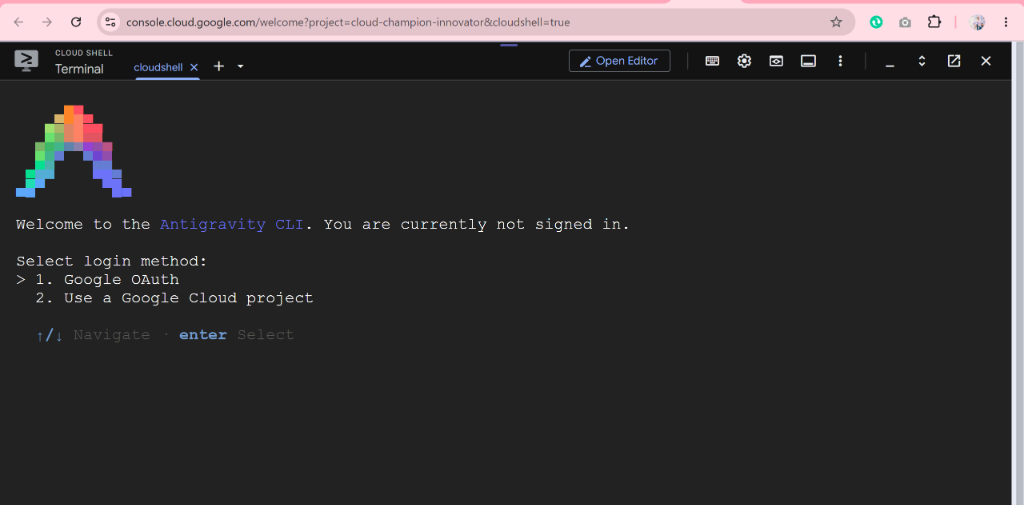
Sign In to Antigravity CLI
On first launch, agy prompts you to choose a login method (1. Google OAuth or 2. Use a Google Cloud project). Select 1. Google OAuth (press Enter):
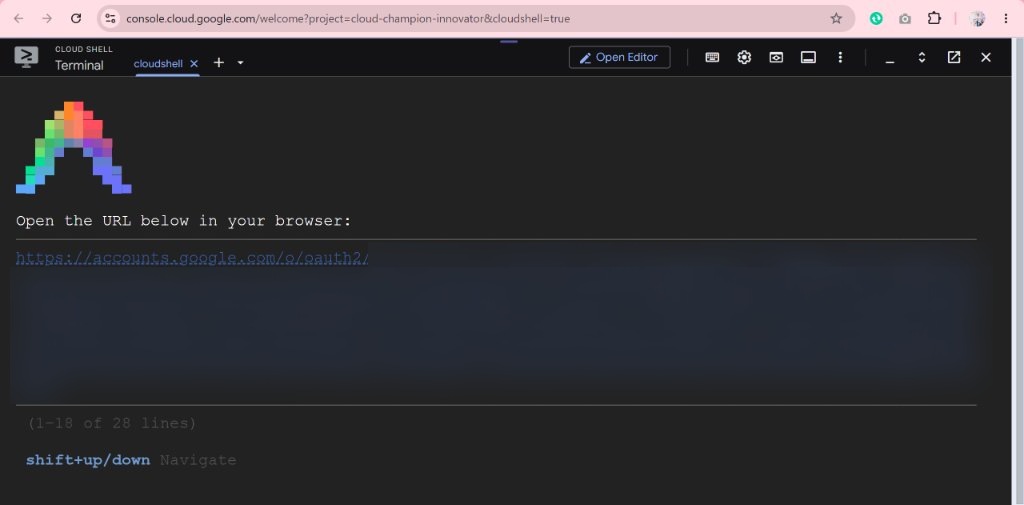
Click the https://accounts.google.com/o/oauth2/... link displayed in Cloud Shell to open Google Sign-In in a new browser tab:
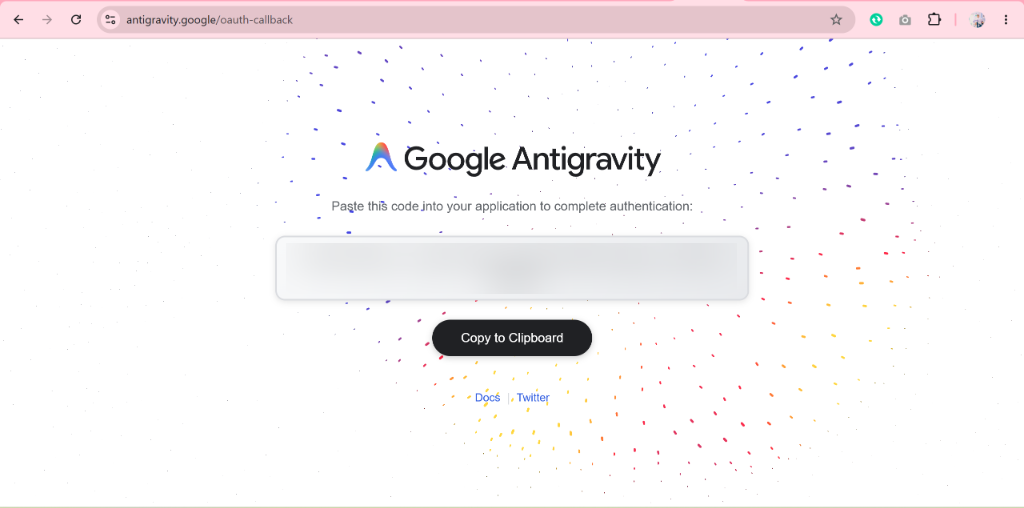
Copy the verification code from the Google Antigravity callback page, return to your Cloud Shell terminal, press Shift + Down Arrow to scroll to the Paste the authorization code here: input line at the bottom of the screen, paste the code, and press Enter:
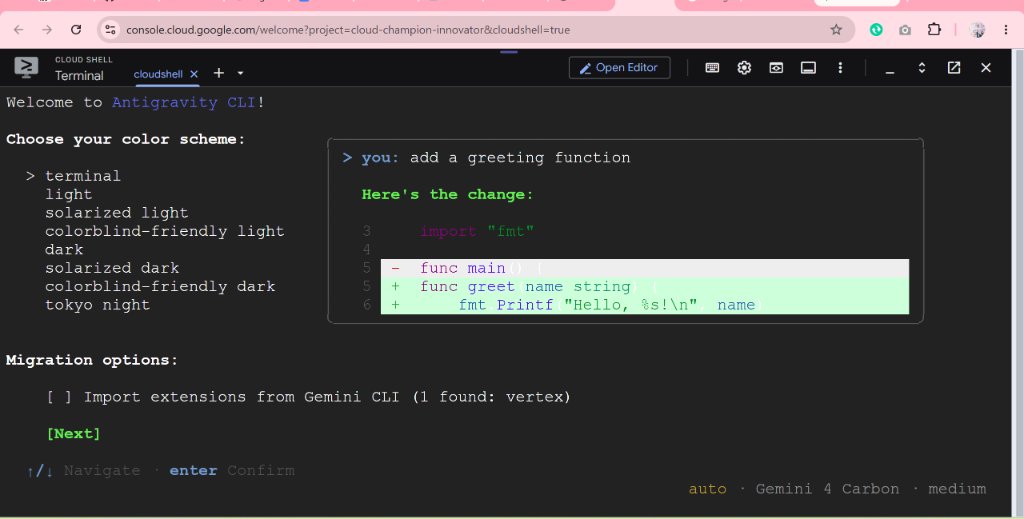
Once signed in, choose your preferred terminal color scheme (for example dark or tokyo night), navigate down to [Next], and press Enter to open the interactive agy workspace prompt:
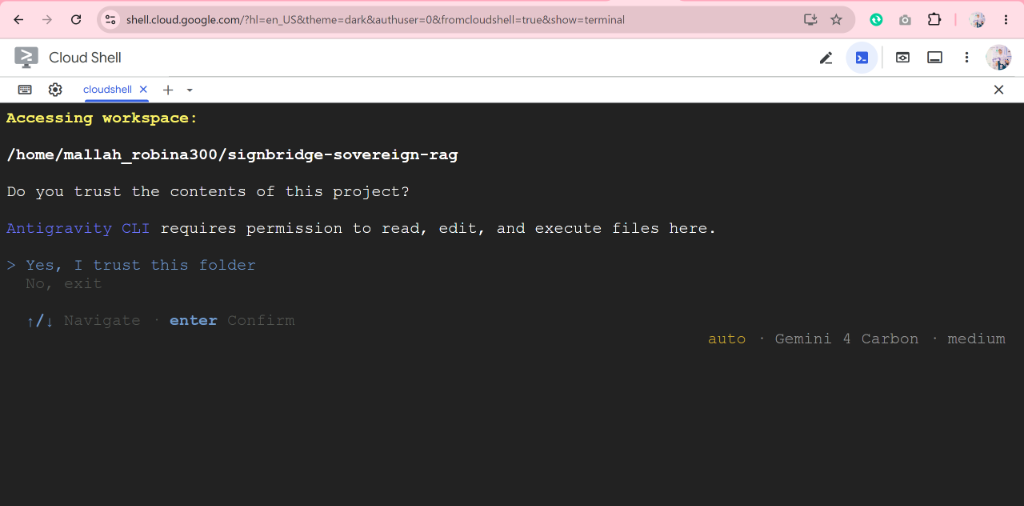
When prompted (Do you trust the contents of this project?), keep > Yes, I trust this folder selected and press Enter:
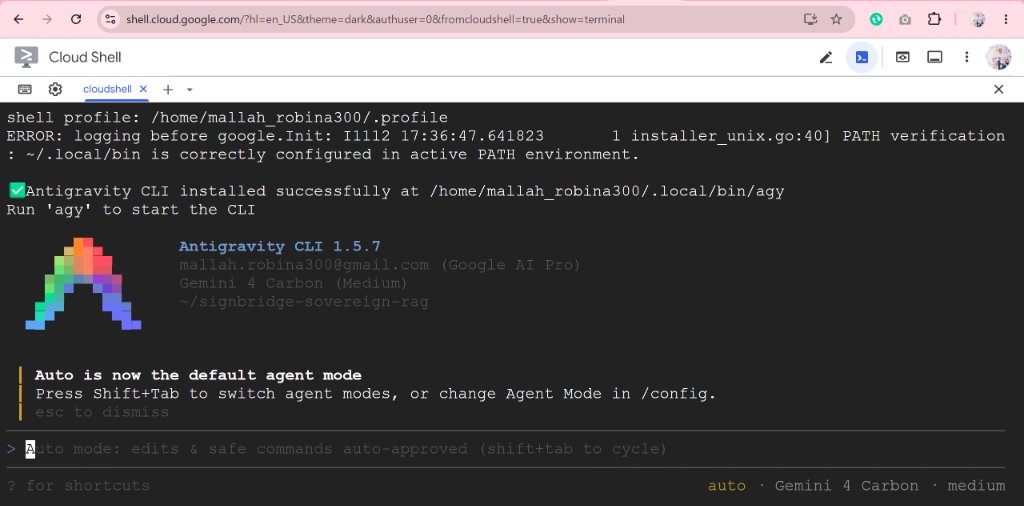
Your Antigravity CLI 1.5.7 interactive prompt (>) is now live and ready inside ~/signbridge-sovereign-rag:
Before writing or deploying infrastructure, let's have Antigravity inspect our regional Cloud Run GPU quota and interview us on sovereign security constraints.
Step 1: Inspect Your Environment and GPU Quota
In a separate terminal tab (or via Antigravity), check whether your target region (europe-west1) currently has NVIDIA_L4 GPU quota allocated:
gcloud compute regions describe "${REGION}" \
  --project="${PROJECT_ID}" \
  --format="json(quotas)"
Step 2: Submit the /grill-me Architecture Prompt
Inside the Antigravity CLI (
agy
), paste the following /grill-me prompt to align on architectural decisions before generating code:
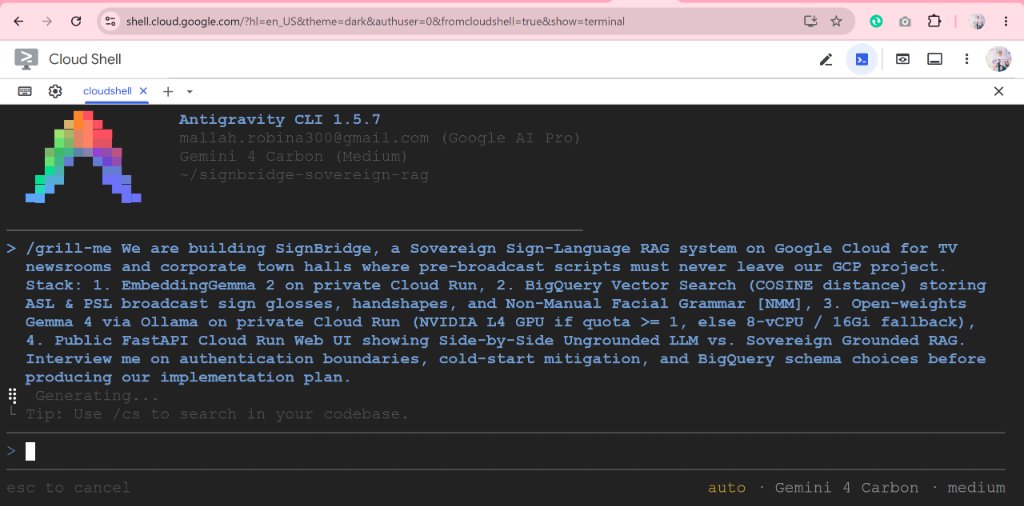
/grill-me We are building SignBridge, a Sovereign Sign-Language RAG system on Google Cloud for TV newsrooms and corporate town halls where pre-broadcast scripts must never leave our GCP project.
Stack:
1. EmbeddingGemma 2 on private Cloud Run
2. BigQuery Vector Search (COSINE distance) storing ASL & PSL broadcast sign glosses, handshapes, and Non-Manual Facial Grammar [NMM]
3. Open-weights Gemma 4 via Ollama on private Cloud Run (NVIDIA L4 GPU if quota >= 1, else 8-vCPU / 16Gi fallback)
4. Public FastAPI Cloud Run Web UI showing Side-by-Side Ungrounded LLM vs. Sovereign Grounded RAG.
Interview me on authentication boundaries, cold-start mitigation, and BigQuery schema choices before producing our implementation plan.
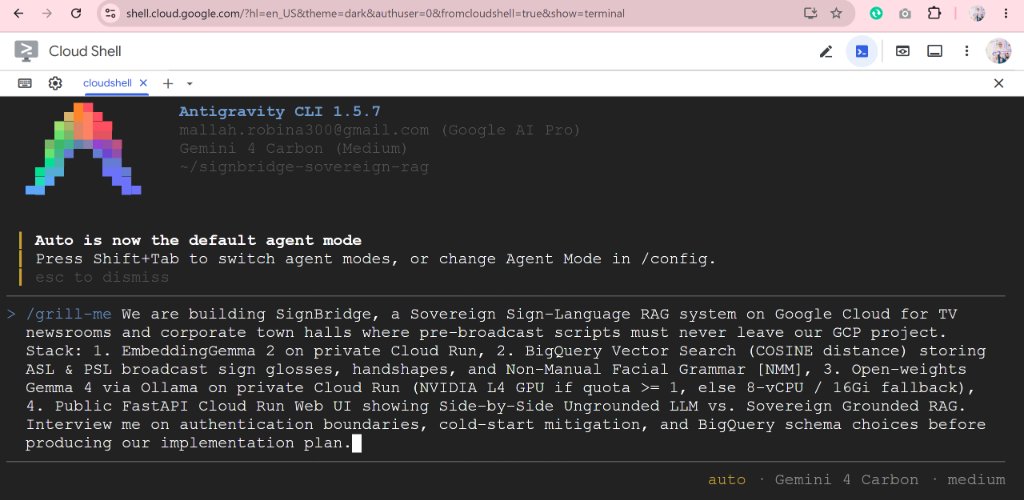
Antigravity (Gemini 4 Carbon) analyzes your Sovereign Sign-Language RAG architecture requirements and prepares an interactive design interview:
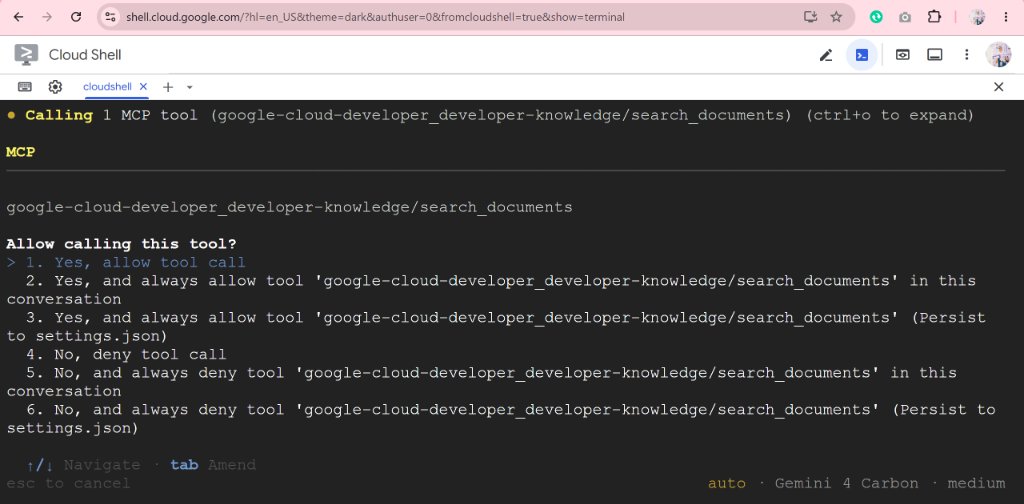
During architecture planning, Antigravity automatically invokes the Google Cloud Developer Knowledge MCP server (google-cloud-developer_developer-knowledge/search_documents) to verify live Cloud Run GPU and BigQuery Vector Search documentation! Select 2. Yes, and always allow tool ... in this conversation (or press Enter on 1. Yes, allow tool call):
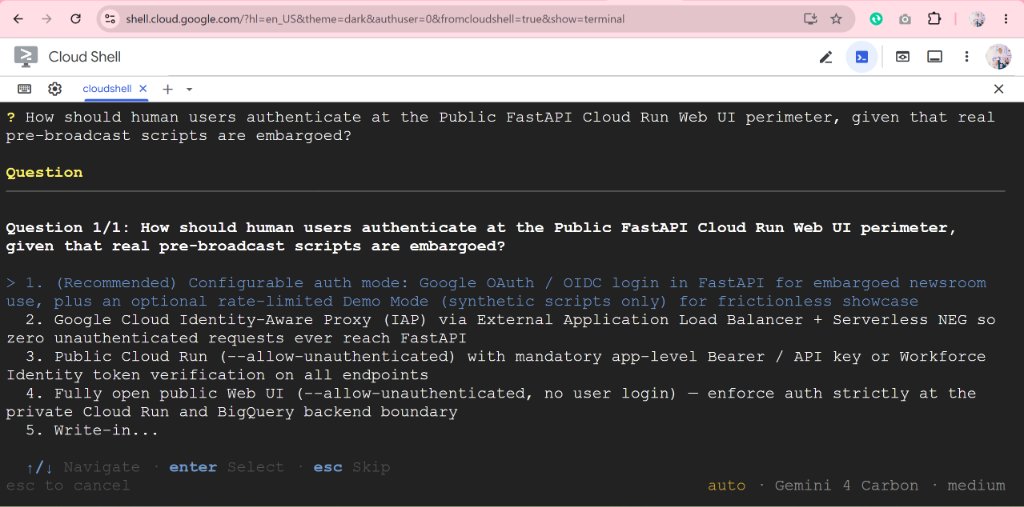
Interactive Q&A & Reviewing the Implementation Plan
/grill-me launches an interactive multiple-choice architecture interview right inside your Cloud Shell terminal! For example, on Question 1 ("How should human users authenticate at the Public FastAPI Cloud Run Web UI perimeter, given that real pre-broadcast scripts are embargoed?"), you can choose 1. (Recommended) or 4. Fully open public Web UI (--allow-unauthenticated, no user login) — enforce auth strictly at the private Cloud Run and BigQuery backend boundary for your Codelab demo:
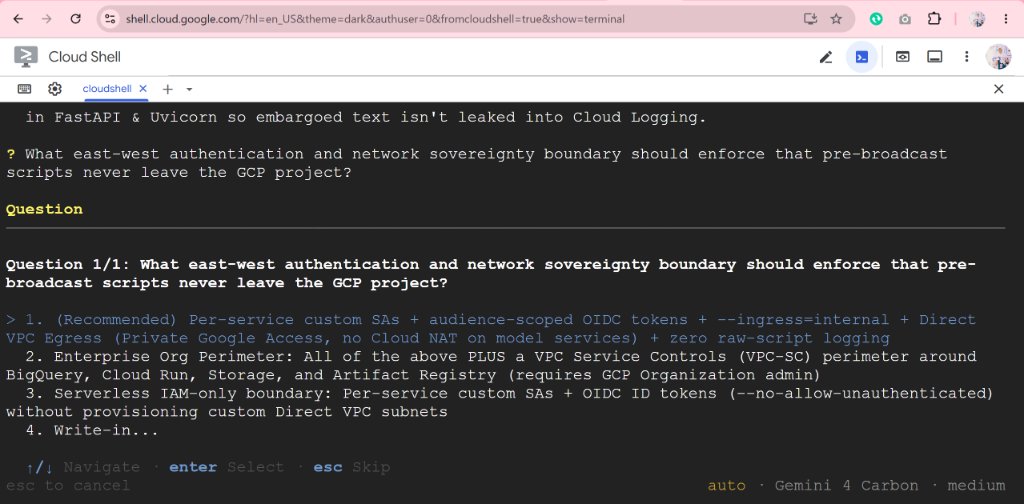
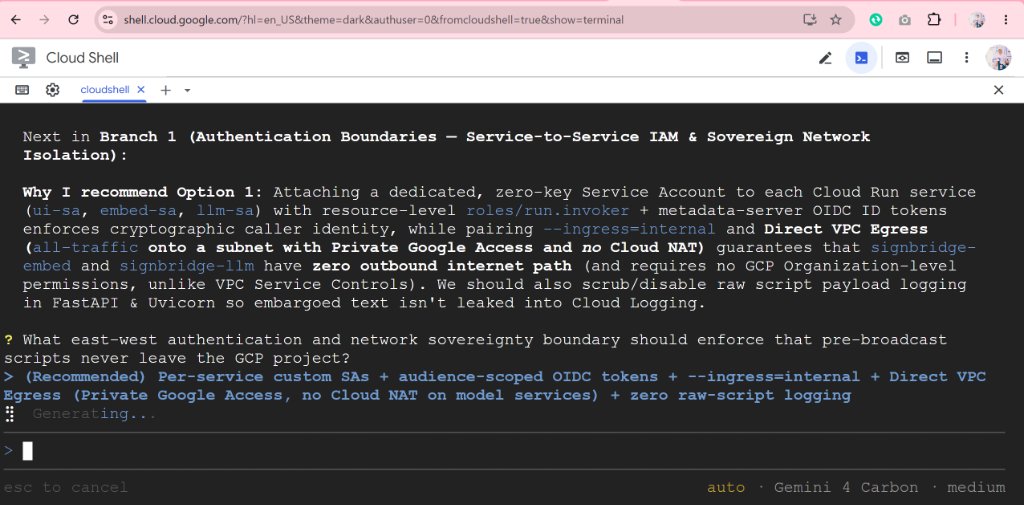
Next, /grill-me drills into east-west service-to-service IAM & network sovereignty so pre-broadcast scripts never leak outside your Google Cloud project:
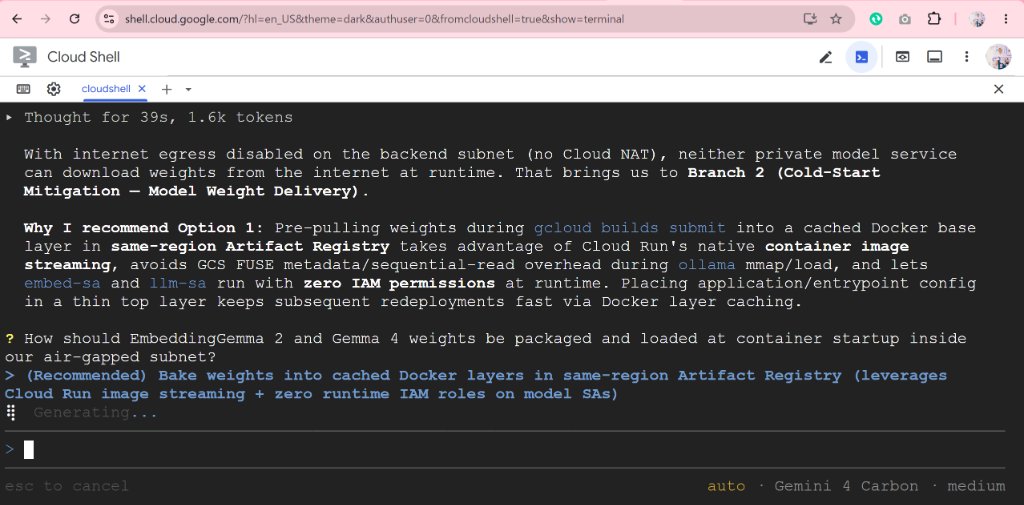
In Branch 2 (Cold-Start Mitigation — Model Weight Delivery), select the recommended strategy to bake EmbeddingGemma 2 and Gemma 4 weights into same-region Artifact Registry Docker layers so Cloud Run leverages native container image streaming with zero runtime IAM roles or internet egress:
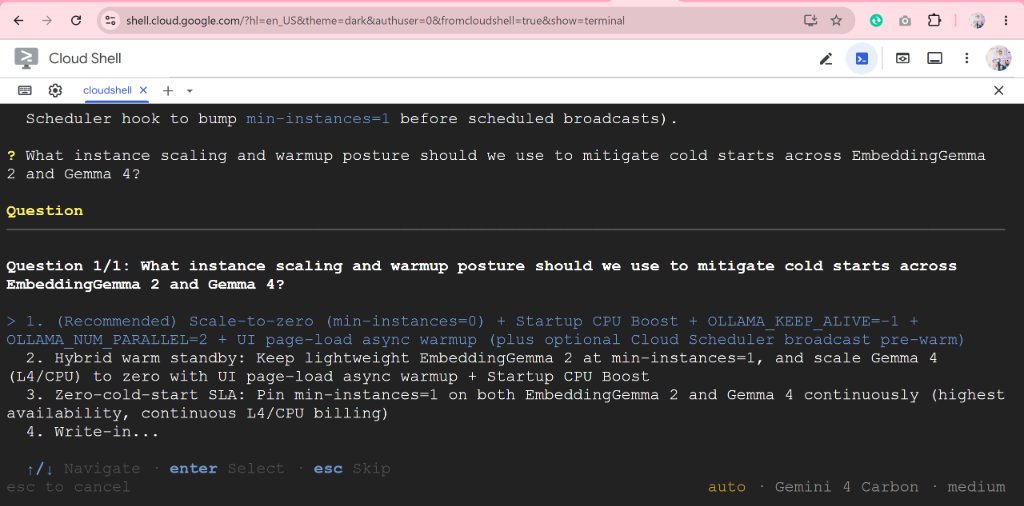
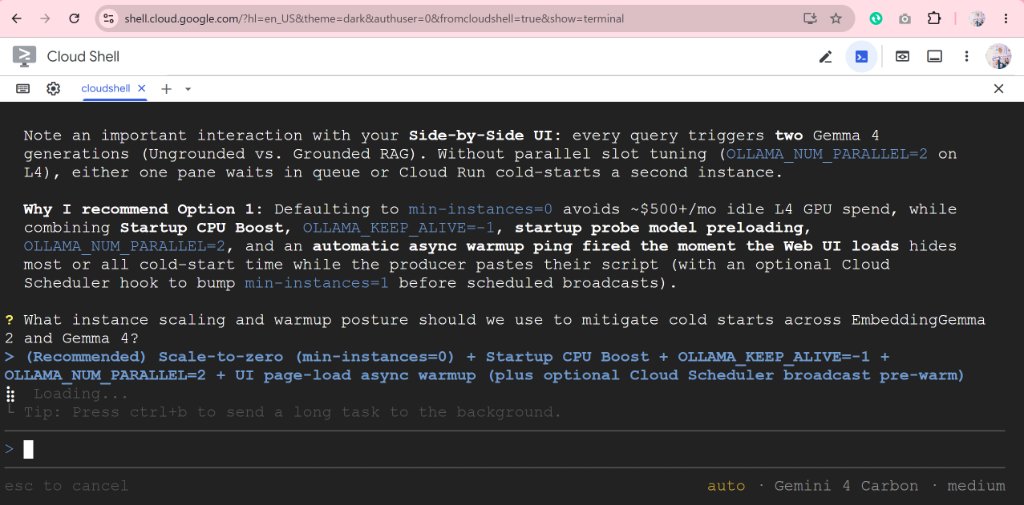
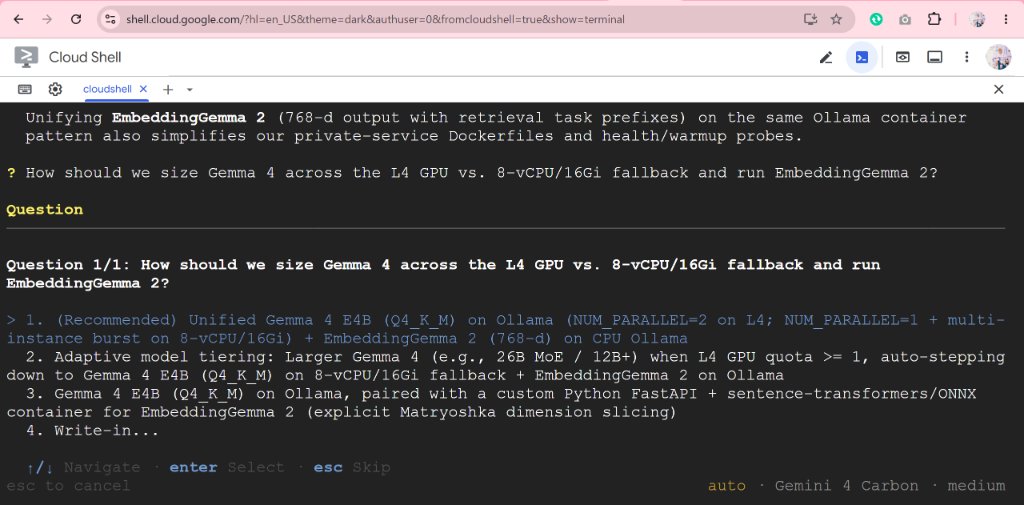
Next, /grill-me highlights a subtle production detail for our Side-by-Side Comparison UI: every broadcast query runs two parallel Gemma 4 generations (Ungrounded vs. Grounded RAG), so setting OLLAMA_NUM_PARALLEL=2 alongside min-instances=0 + Startup CPU Boost avoids ~$500+/mo idle GPU charges while preventing request queueing:
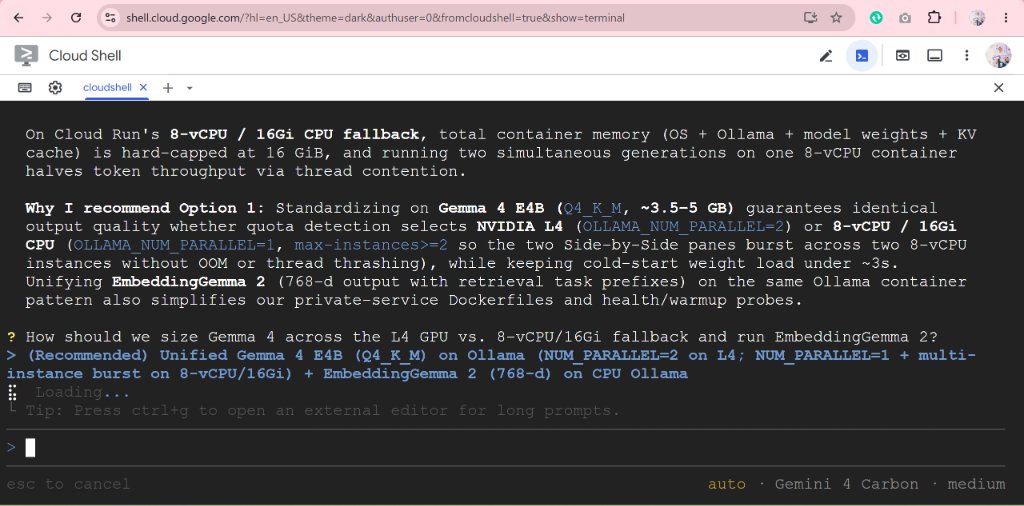
/grill-me then validates model sizing across NVIDIA L4 GPU vs. the 8-vCPU / 16 GiB CPU fallback, standardizing on Gemma 4 E4B (
Q4_K_M
, ~3.5–5 GB) and EmbeddingGemma 2 (768-d) on Ollama so both GPU and CPU deployments produce identical broadcast gloss accuracy without OOM or thread contention:
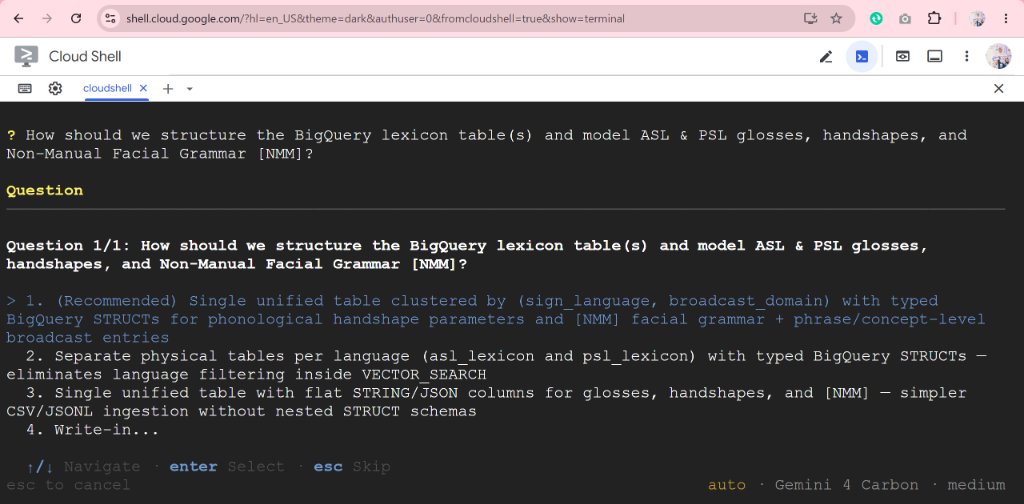
Finally, in Branch 3 (BigQuery Vector Search Schema & Retrieval), /grill-me aligns on a single unified BigQuery table clustered by (sign_language, broadcast_domain) storing ASL & PSL glosses, phonological handshapes, and [NMM] Non-Manual Facial Grammar alongside 768-d EmbeddingGemma 2 vectors:
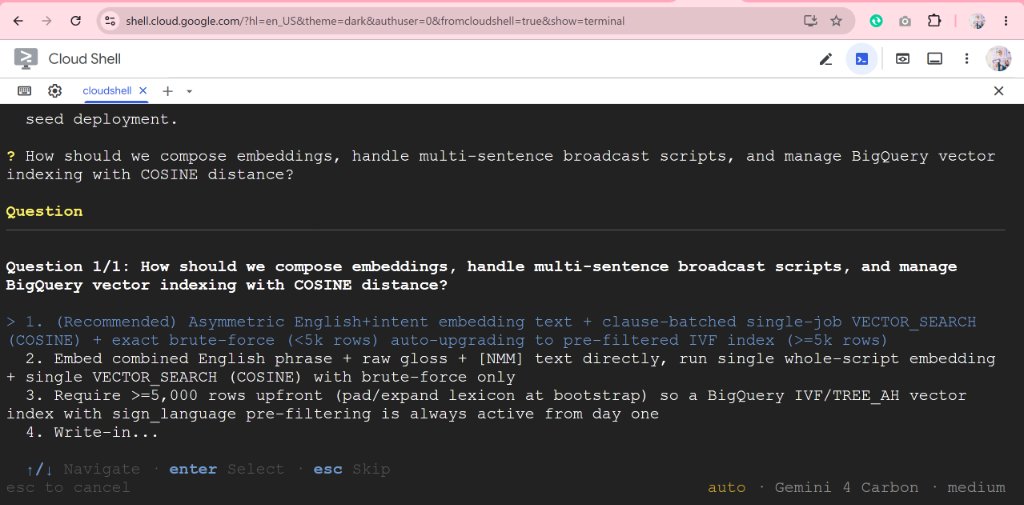
/grill-me wraps up the interview by confirming single-region co-location, live NVIDIA L4 GPU quota detection with automatic CPU fallback, and initial ASL & PSL broadcast lexicon seeding:
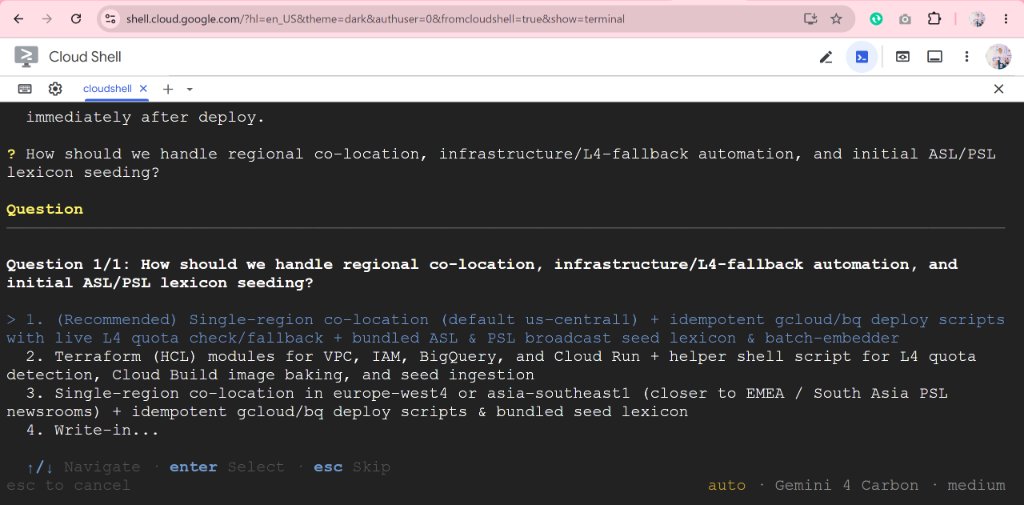
Before writing your Implementation Plan, Antigravity automatically loads its bundled Google Cloud CLI (
gcloud
) skills and verifies every planned gcloud flag against gcloud help right inside Cloud Shell:
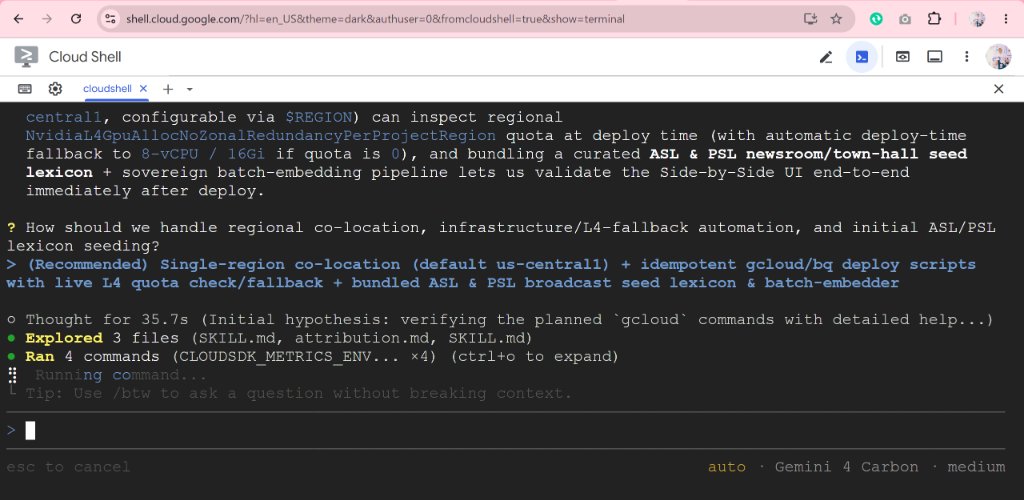
Answer Antigravity's clarifying questions:
- Model Weights: Pre-bake
embeddinggemmaandgemma4:e4binside the container build step so runtime containers need zero outbound internet downloads. - Service-to-Service Security: Deploy
embedding_modelandllmwith--no-allow-unauthenticated; only theorchestrationUI service is publicly reachable. - Chunk Structure: Store structured columns (
verified_gloss,handshape,non_manual_markers,privacy_tier) alongsideembedding ARRAYin BigQuery so retrieved citations are deterministic and auditable.
Once all /grill-me branches are answered, Antigravity compiles every architectural decision into a structured implementation_plan.md
artifact (1 artifact · /artifact to review) and asks for your confirmation before writing code or provisioning GCP resources:
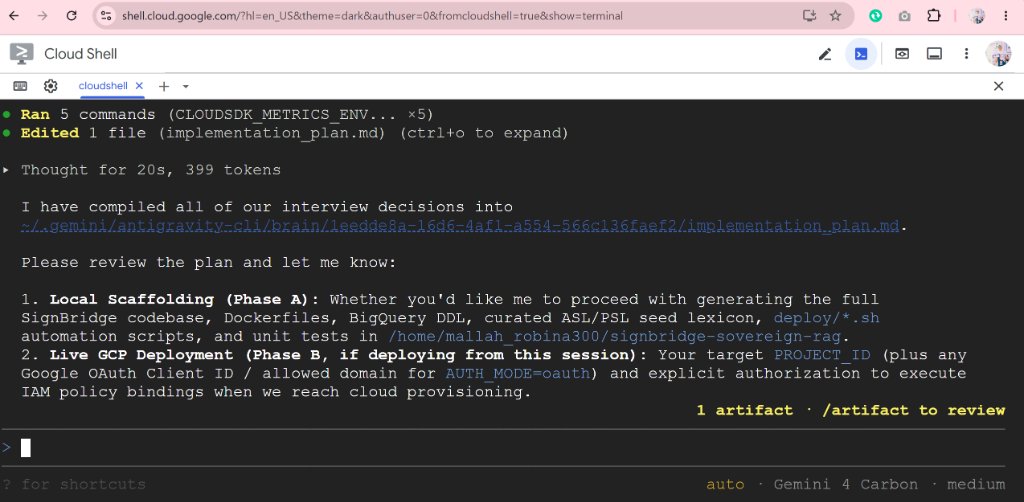
Once you are happy with the Implementation Plan produced during /grill-me, instruct Antigravity (
agy
) to generate your complete application from scratch inside your signbridge-sovereign-rag folder:
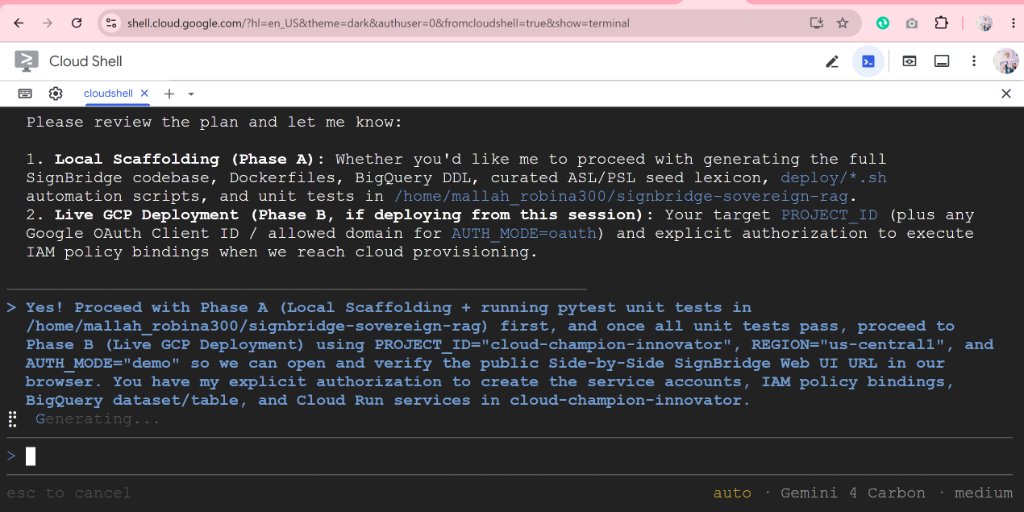
Proceed with the implementation plan and scaffold the complete SignBridge Sovereign Sign-Language RAG repository from scratch in this directory:
1. vector_store/: BigQuery Vector Search DDL, COSINE VECTOR_SEARCH query helper, init_db.py, and an 8-entry ASL & PSL broadcast/corporate sign lexicon JSON (covering breaking flood news tickers, embargoed Q3 corporate earnings & M&A town halls, 150 bps financial TV desks, "off the record" press idioms, and clinical/ADA protocols).
2. embedding_model/: Cloud Run Dockerfile + FastAPI service baking in EmbeddingGemma 2 via Ollama (/embed returning 768-d vectors) + cloud_run.sh (--no-allow-unauthenticated).
3. llm/: Cloud Run Dockerfile baking in open-weights Gemma 4 via Ollama + cloud_run.sh that checks regional NVIDIA_L4 GPU quota and deploys with --gpu=1 --gpu-type=nvidia-l4 (or falls back to --cpu=8 --memory=16Gi when GPU quota is 0).
4. orchestration/: FastAPI backend (/api/compare, /api/corpus, /health) + colorful Side-by-Side Web UI comparing Baseline Ungrounded LLM vs. Sovereign BigQuery-Grounded SignBridge + root Dockerfile + cloud_run.sh.
5. tests/test_signbridge.py (automated pytest suite) and cleanup.sh for tearing down Cloud Run & BigQuery resources.
Explore Your Newly Generated Codebase
Verify the modular directory tree Antigravity created in your workspace:
- Broadcast & Corporate Sign Corpus (
vector_store/sign_lexicon_corpus.json): Curated ASL & PSL entries covering breaking flood tickers, embargoed Q3 earnings & M&A town halls, Central Bank150 bpsrate cuts, and press-room "off the record" idioms. - BigQuery Vector Search Query (
vector_store/init_db.py): Uses nativeVECTOR_SEARCHwithCOSINEdistance:SELECT base.doc_id, base.verified_gloss, base.non_manual_markers, distance FROM VECTOR_SEARCH( TABLE `PROJECT.signbridge_sovereign_rag.sign_lexicon_embeddings`, 'embedding', (SELECT @query_embedding AS embedding), top_k => 3, distance_type => 'COSINE' ) ORDER BY distance ASC; - Orchestrator (
orchestration/app.py): Queries both an ungrounded prompt and a BigQuery-grounded prompt in parallel so broadcast producers and interpreters can visually verify why grounding prevents live-air errors.
Run Automated Verification & Optional Push to Your Own GitHub Repo
Run pytest locally in Cloud Shell to verify every endpoint before deploying—and optionally push your newly generated project to your own GitHub account:
chmod +x embedding_model/cloud_run.sh llm/cloud_run.sh orchestration/cloud_run.sh cleanup.sh
pytest tests/ -v

# Optional: save & publish your own generated repository to GitHub
git add .
git commit -m "Build SignBridge Sovereign Sign-Language RAG from scratch with Antigravity"
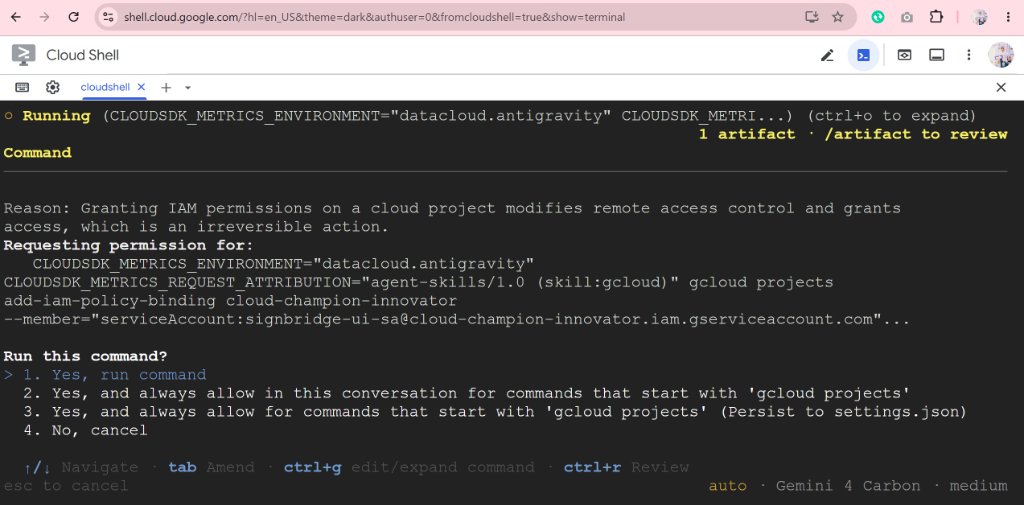
Now deploy the complete Sovereign Sign-Language RAG stack onto Google Cloud Run! You can either ask Antigravity (
agy
) to execute Phase B directly in your active session—where Antigravity's built-in human-in-the-loop IAM safety guardrails pause for your explicit confirmation before modifying project-level IAM bindings (signbridge-ui-sa)—or run the generated shell scripts step-by-step:
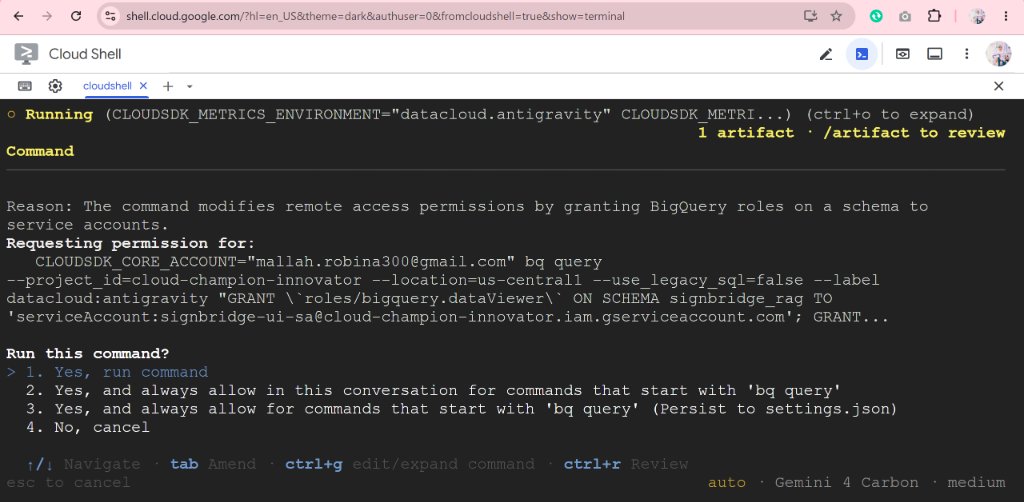
Antigravity also scopes least-privilege BigQuery dataset access (
roles/bigquery.dataViewer
) directly onto your signbridge_rag schema for signbridge-ui-sa, pausing for your review before executing the SQL GRANT:
1. Initialize Project & APIs
source ./setup_env.sh
2. Deploy the Sovereign EmbeddingGemma 2 Service
(cd embedding_model && ./cloud_run.sh)
3. Initialize BigQuery Vector Search & Ingest Sign Lexicon
export EMBEDDING_SERVICE_URL=$(gcloud run services describe signbridge-embeddinggemma \
  --project="${PROJECT_ID}" --region="${REGION}" --format="value(status.url)")

python3 vector_store/init_db.py
4. Deploy Open-Weights Gemma 4 (Auto GPU / CPU Fallback)
(cd llm && ./cloud_run.sh)
5. Deploy the FastAPI Orchestrator & Side-by-Side Web UI
./orchestration/cloud_run.sh
What Happens During Deployment
- Cloud Build packages each microservice and pre-pulls the open-weights
embeddinggemmaandgemma4:e4bweights directly into your private Artifact Registry image. - BigQuery creates the
signbridge_sovereign_rag.sign_lexicon_embeddingstable insideeurope-west1and indexes all 768-dimensional vectors. - Cloud Run outputs your live
https://signbridge-ui-...run.appURL!
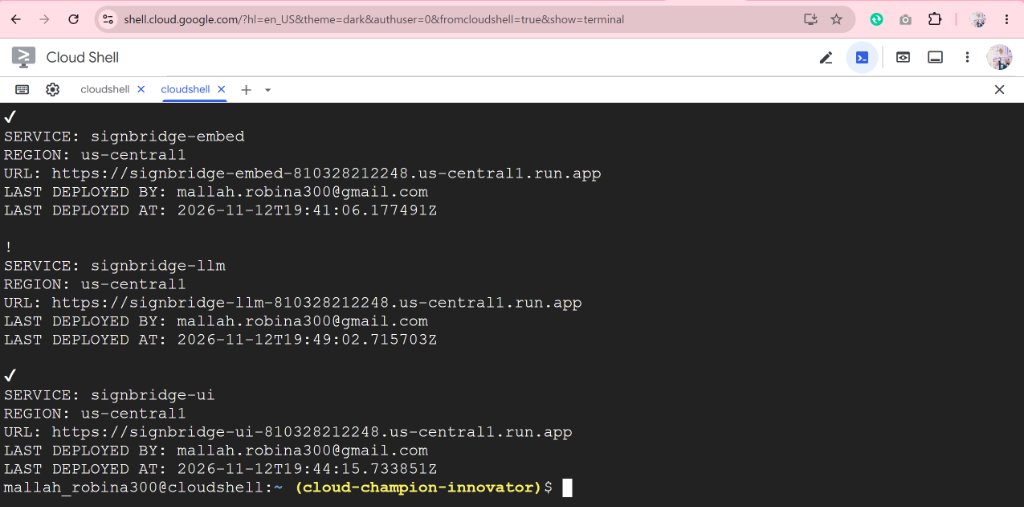
Verify all three deployed Sovereign RAG services (signbridge-embed, signbridge-llm, and signbridge-ui) in your project:
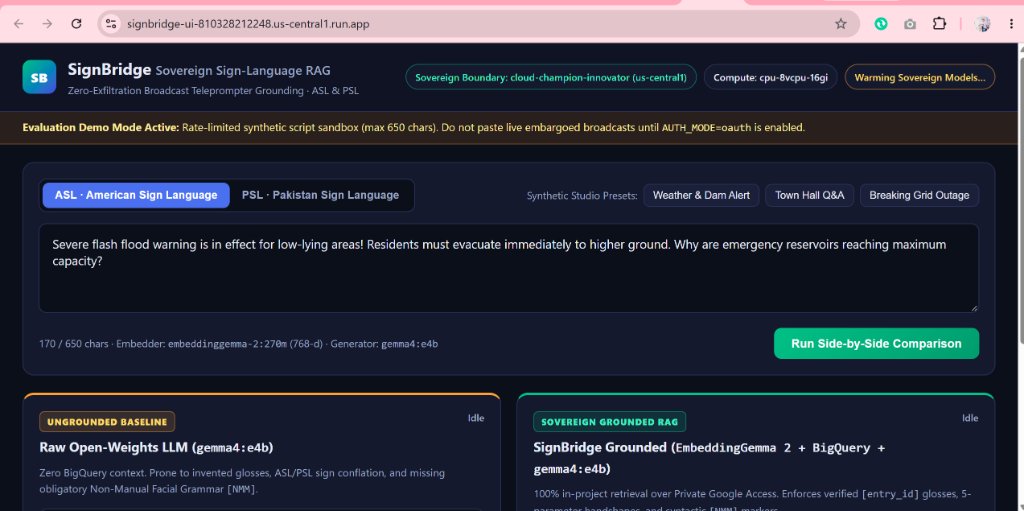
Open the live https://signbridge-ui-...run.app URL in your browser to launch the SignBridge Sovereign Sign-Language RAG Side-by-Side dashboard! Notice the live badges confirming your Sovereign Boundary (cloud-champion-innovator) and automatic Compute: cpu-8vcpu-16gi fallback when regional GPU quota is 0:
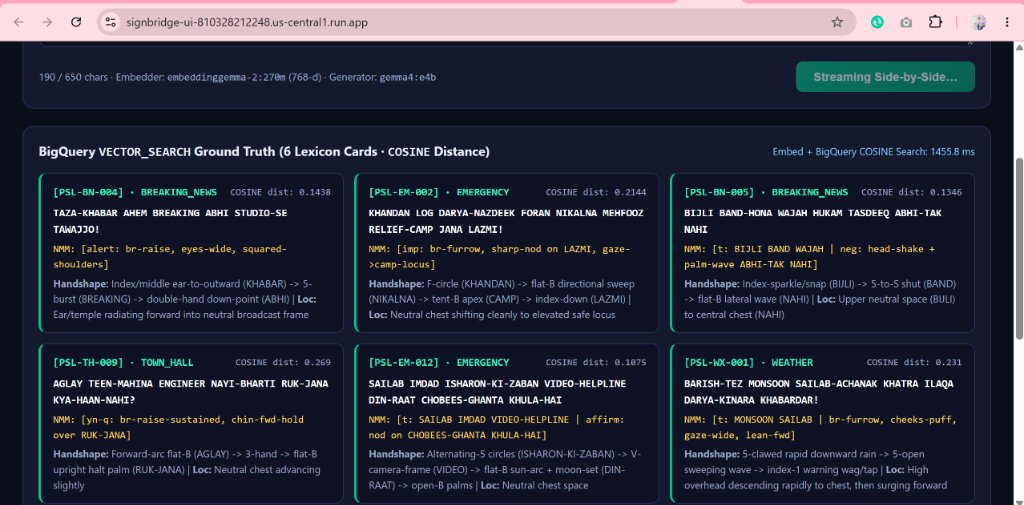
Switch to PSL · Pakistan Sign Language (or keep ASL) and click Run Side-by-Side Comparison—in ~1.4 seconds, EmbeddingGemma 2 + BigQuery
VECTOR_SEARCH
(
COSINE
distance) retrieves the exact sovereign broadcast lexicon cards ([PSL-BN-004], [PSL-EM-002], [PSL-EM-012], [PSL-WX-001]) complete with Roman-Urdu PSL glosses, [NMM] facial grammar, and 5-parameter handshape specifications:
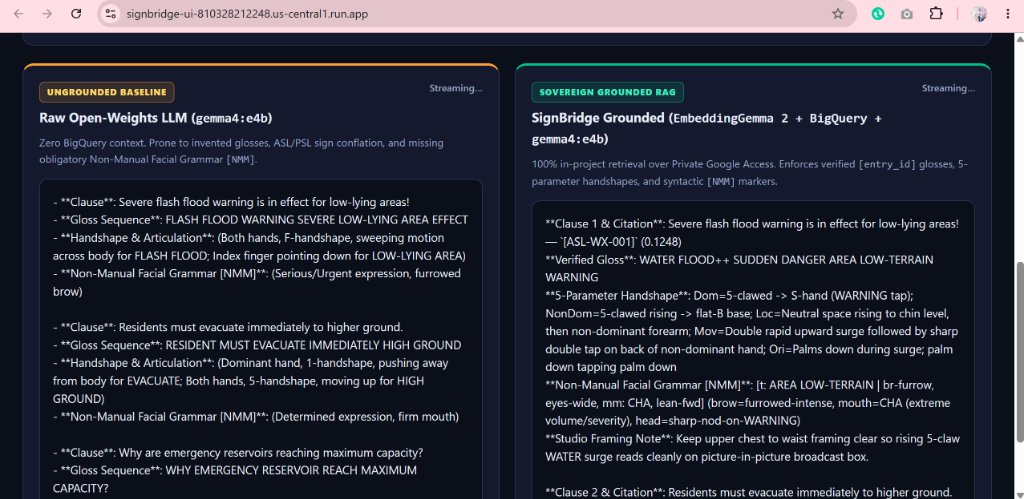
Scroll down to inspect the Side-by-Side Comparison streaming live from gemma4:e4b on Cloud Run:
- Left (
UNGROUNDED BASELINE): Hallucinates English-orderFLASH FLOOD WARNING SEVERE LOW-LYING AREA EFFECTand invents a wrongF-handshape! - Right (
SOVEREIGN GROUNDED RAG): Grounds strictly in BigQuery[ASL-WX-001](0.1248), enforcingWATER FLOOD++ SUDDEN DANGER AREA LOW-TERRAIN WARNING, exact5-clawed -> S-handrising-surge articulation, obligatory[mm: CHA, lean-fwd]Non-Manual Facial Grammar, and picture-in-picture TV studio framing notes!
Test These 4 Broadcast & Corporate Scenarios
- 📺 Breaking News Flood Ticker: Click "Breaking News Flood Ticker". Notice how the Ungrounded LLM outputs literal word-for-word English (
FLASH FLOOD...), whereas SignBridge Sovereign RAG retrieves[SL-NEWS-001]with the rising-wave classifier[CL:5-rising-wave]and urgent facial grammar[intense-eyes, lean-forward]. - 🏢 Embargoed Corporate Earnings & M&A: Click "Embargoed Corporate Earnings & M&A". Verify that confidential Q3 revenue and "zero layoffs" stay inside your GCP project and enforce
[double-O-head-shake]negation timing ([SL-CORP-002]). - 📈 Financial TV Desk (PSL 150 bps): Select
PSL (Pakistan Sign Language)and test "Central Bank cut interest rates by 150 basis points". Watch SignBridge convert abstract financial jargon into broadcast-clear PSL spatial contrast ([SL-MEDIA-003]). - 🎙️ Press Briefing Idiom Trap: Test "This statement is off the record until 9:00 AM tomorrow" and confirm SignBridge avoids the classic "vinyl record" hallucination (
[SL-MEDIA-004]).
Production Extensions for Media & Enterprise Teams
- Live Newsroom MOS / Teleprompter Webhook: Connect ENPS or iNEWS teleprompter feeds directly to
/api/compareso in-studio Deaf interpreters see verified gloss cards on a confidence monitor in real time. - VPC Service Controls: Wrap BigQuery and Cloud Run inside a VPC Service Controls perimeter for mathematically enforced zero data exfiltration.
- 3D Avatar & Pose Keypoint Lookup: Attach verified WLASL / PSL skeletal keypoint clips alongside each
doc_idin BigQuery!
To avoid incurring ongoing Google Cloud charges after completing the Codelab, run the cleanup script to delete the three Cloud Run services and the BigQuery dataset:
./cleanup.sh
Or delete them manually using gcloud and bq:
gcloud run services delete signbridge-rag-ui --project="${PROJECT_ID}" --region="${REGION}" --quiet
gcloud run services delete signbridge-gemma4-llm --project="${PROJECT_ID}" --region="${REGION}" --quiet
gcloud run services delete signbridge-embeddinggemma --project="${PROJECT_ID}" --region="${REGION}" --quiet
bq rm -r -f -d "${PROJECT_ID}:signbridge_sovereign_rag"
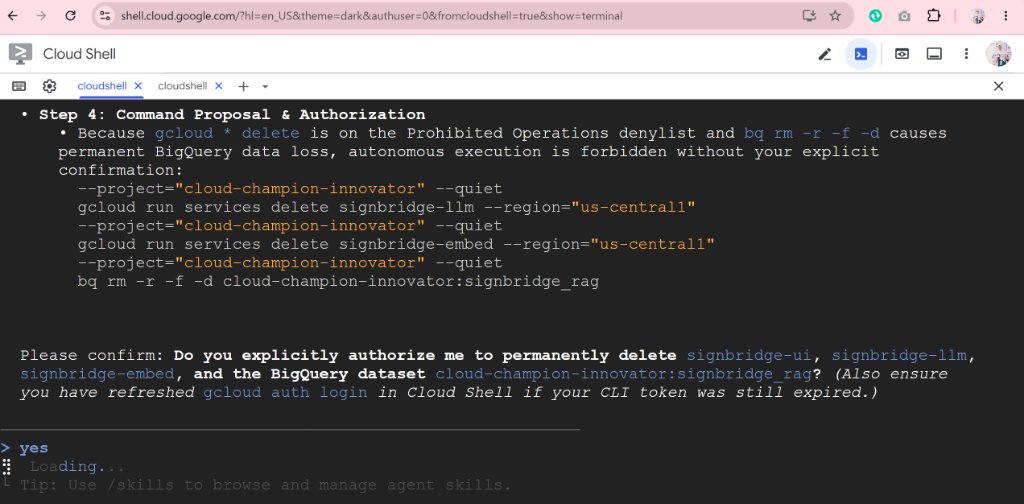
If you run resource cleanup through Antigravity (
agy
), notice how its accidental-data-loss and
gcloud
safety guardrails explicitly verify your authorization before executing any gcloud run services delete or bq rm operation:
🎉 Congratulations! You have architected, verified, and deployed a Sovereign Sign-Language RAG System (
SignBridge
) on Google Cloud!
What You Accomplished
- Planned a privacy-first serverless RAG architecture using Google Antigravity CLI (
agy) and/grill-me. - Generated sovereign 768-d vector embeddings with EmbeddingGemma 2 and indexed them in BigQuery Vector Search.
- Deployed open-weights Gemma 4 on Google Cloud Run with automatic NVIDIA L4 GPU detection and CPU fallback.
- Built a Side-by-Side Broadcast Media & Corporate Accessibility Copilot that eliminates sign-language idiom hallucinations while keeping embargoed scripts 100% inside your cloud boundary!